What has been
Two lists per build: + added, − removed. Trimming is part of the work.
What's New — it starts here
The record begins at alpha.
-
Winglet-Software.com goes live
2026 · UNRELEASEDThis site. Six Windows, one sky.
-
WingletReader enters alpha
2026-05-14Free, unsigned, Windows 10/11, no account. Expect rough edges — that is what alpha means.
-
v0.1.0-alpha.2 · 2026-06-17 · LATEST (version resolved at build time)
Where we're at
The state of every feature.
-
WingletReader recovers when something goes wrong
2026-07-16 EXPERIMENTAL2 additions, 2 removals- Removed: An unexpected interface error that could leave a blank surface
- Added: A recovery message with Reload and the location of the local crash log
- Removed: A damaged library file that could trap WingletReader in a crash loop
- Added: A preserved copy of the damaged file and a fresh usable Library
-
Every build is tested before it ships
2026-07-16 EXPERIMENTAL3 additions, 0 removals- Added: The full test suite runs for every proposed change
- Added: A failed test blocks the release pipeline
- Added: Tagged releases produce the same tested Windows installer for everyone
-
Fonts and identity now follow the system
2026-07-16 EXPERIMENTAL2 additions, 2 removals- Removed: A bundled proprietary serif font
- Added: A system serif that is already available on your computer
- Removed: A setting for choosing between logo styles
- Added: One consistent logo that follows the active theme
-
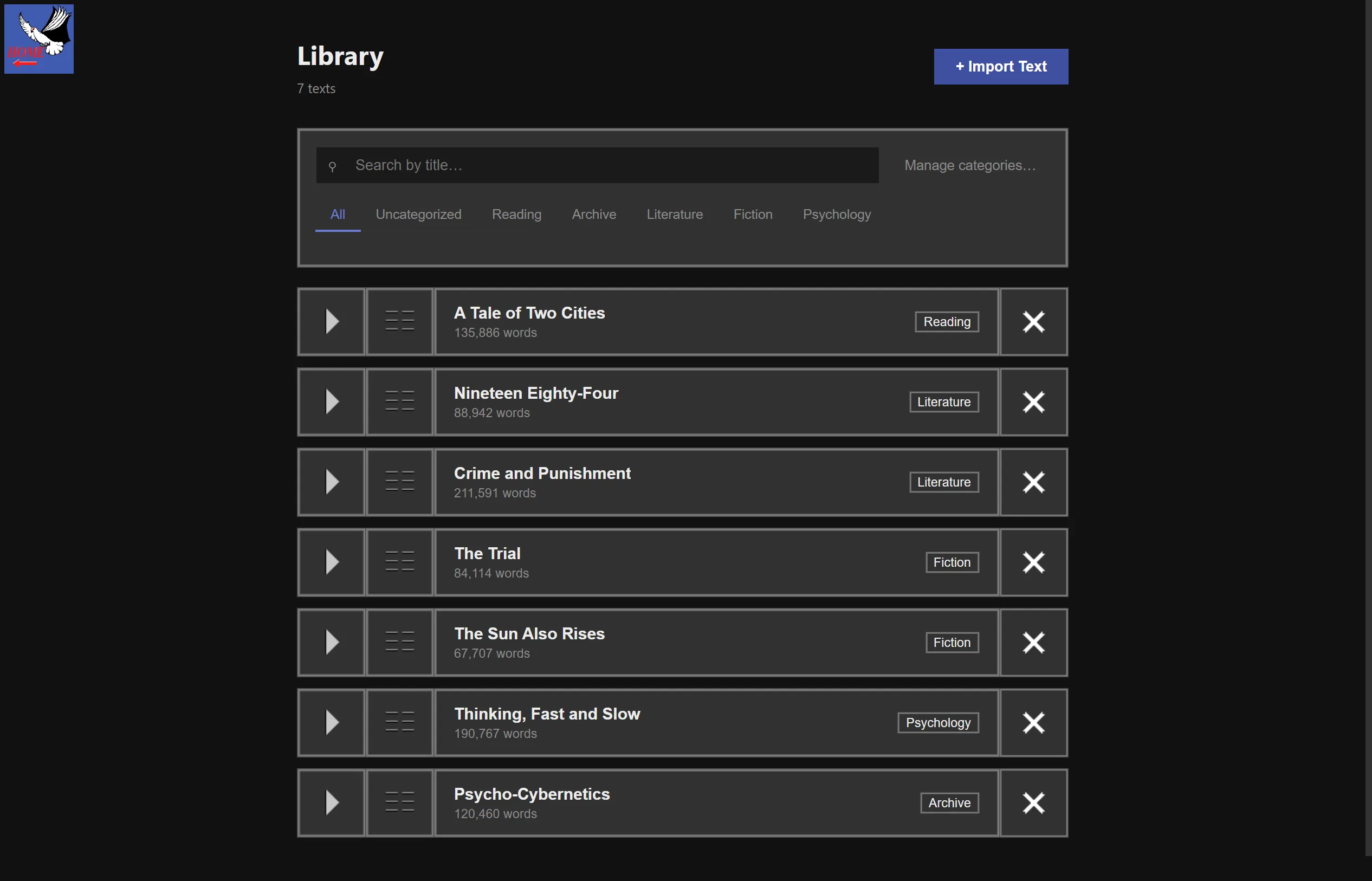
Library controls join the hub-style tile system
2026-07-15 EXPERIMENTAL3 additions, 1 removal- Removed: Flat text cards and mismatched Reader controls
- Added: Hub-style frames and square action tiles across the Library and Reader
- Added: Theme-specific hover art for resume, view and delete actions
- Added: An animated preview for choosing WingletReader's appearance
-
Sessions end with a clear choice
2026-07-13 EXPERIMENTAL4 additions, 0 removals- Added: Pause and hold a session without losing its starting place
- Added: Continue reading or end the session from one clear prompt
- Added: See your progress when a goal or bookmark ends the session
- Added: Return to the Library or keep reading through deliberate exit choices
-
The Grid fits the space it is given
2026-07-13 EXPERIMENTAL2 additions, 1 removal- Removed: Reader layouts that could extend beyond the available viewport
- Added: A layout solver that fits the Grid to the current window
- Added: A clear advisory when the chosen settings cannot fit legibly
-
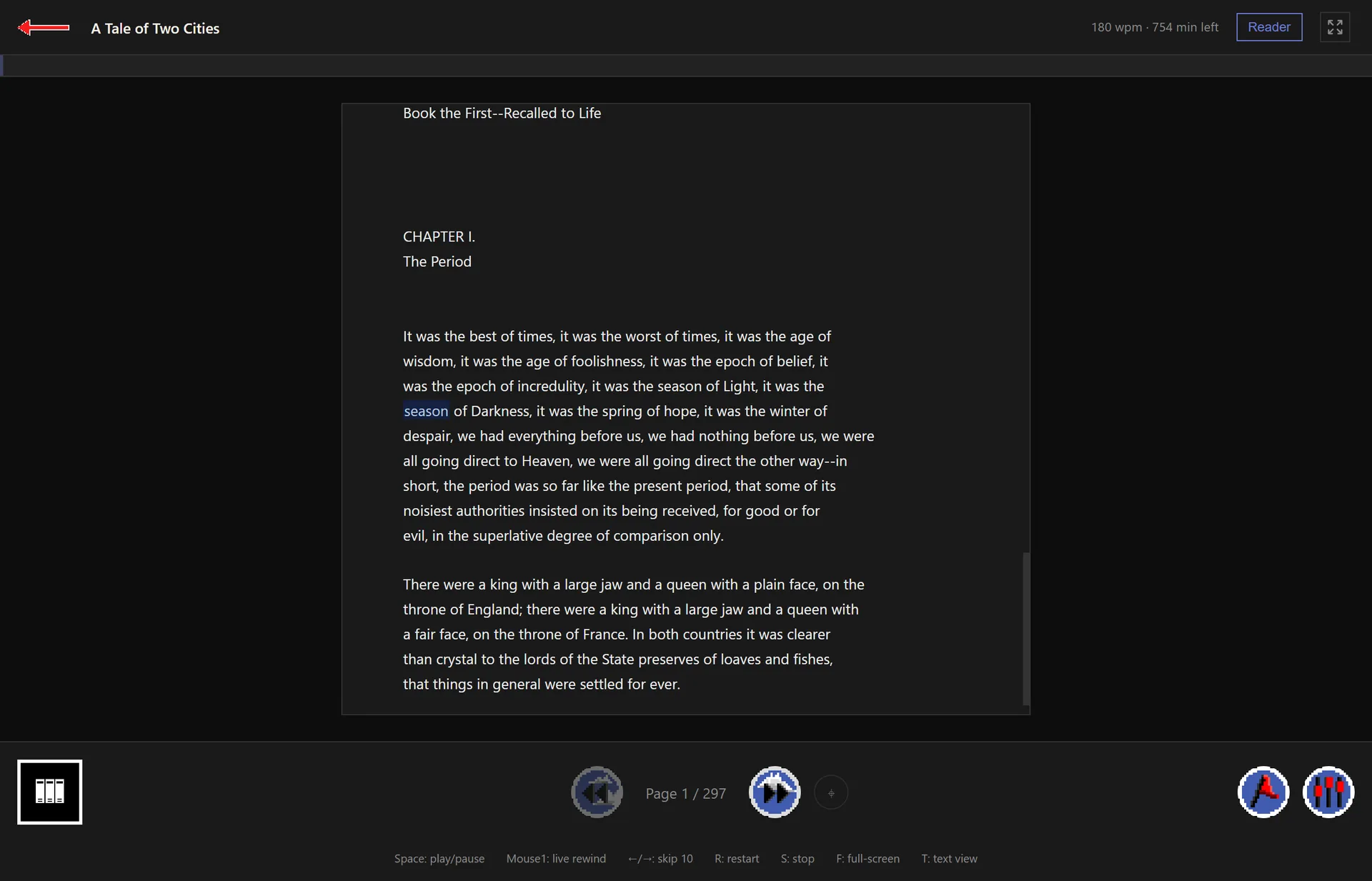
Plain text becomes a paged reading surface
2026-07-12 EXPERIMENTAL3 additions, 2 removals- Removed: One long plain-text surface for the whole document
- Added: Paragraph-aware Pages that follow the current reading position
- Added: Arrow-key paging with a Locate control to rejoin the current word
- Removed: The redundant Standard view beside the Text view
- Added: One paged Text view for browsing, selecting and following along
-
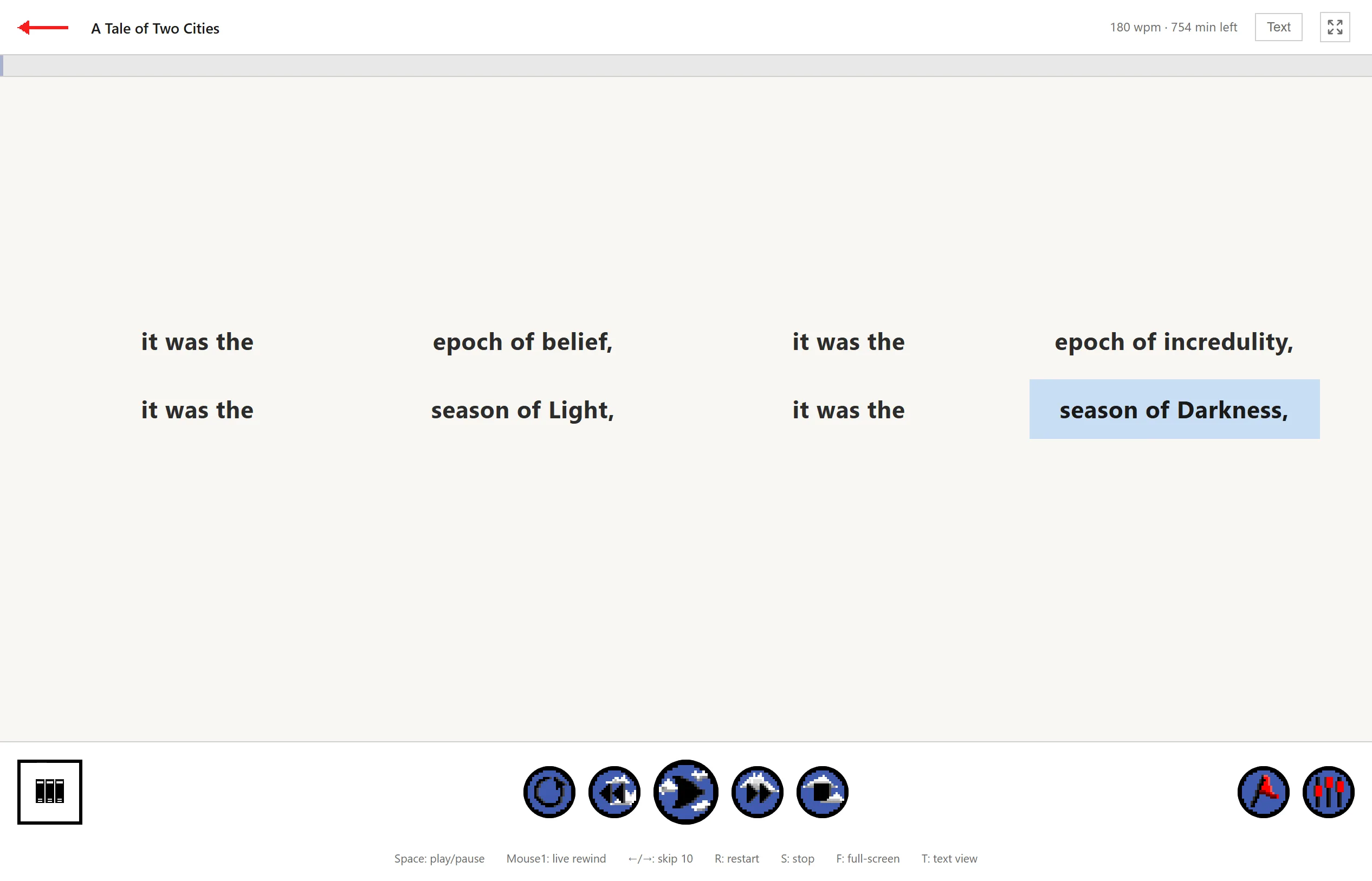
Bookmarks replace the stop target
2026-07-12 EXPERIMENTAL4 additions, 1 removal- Removed: The session-only stop target, which could mark just one place
- Added: Persistent normal and goal bookmarks set at any selected word
- Added: Labels, jump controls and deletion from the Standard Reader
- Added: A goal marker and normal bookmark ticks along reading progress
- Added: Inline markers on the current Page and bookmark management in the Library
-
Long books open without blocking WingletReader
2026-07-12 EXPERIMENTAL2 additions, 1 removal- Removed: Opening a long book while its Stacks were built on the main thread
- Added: Stack building that continues without holding up the first paint
- Added: Text pagination that waits until you actually open the Text view
-
The Library names content by where it came from
2026-07-12 EXPERIMENTAL2 additions, 1 removal- Removed: Source-format labels such as parts mixed across every text
- Added: Chapters for built-in books and Contents for your own texts
- Added: Add Content controls only where a user-owned text can be extended
-
Reader settings become one shared editor
2026-07-02 EXPERIMENTAL4 additions, 1 removal- Removed: A card overview and a separate Edit everything surface
- Added: One two-tab editor for Playback and Grid Layout, Display, Colors and Spacing
- Added: A Preview control that opens the live result beside the settings
- Added: The same editor inside Settings and the Standard Reader drawer
- Added: Automatic saving while you adjust controls
-
Interface zoom stays legible
2026-06-27 EXPERIMENTAL2 additions, 1 removal- Removed: Unbounded browser zoom that could shrink WingletReader beyond recognition
- Added: A safe minimum and maximum zoom range
- Added: Keyboard controls to zoom back in or reset to the default
-
Library deletion becomes reversible
2026-06-24 EXPERIMENTAL2 additions, 1 removal- Removed: Immediate permanent removal from the Library
- Added: A reversible delete flow for texts you remove
- Added: A way to restore a deleted text before it is gone
-
Analytics leave WingletReader
2026-06-24 EXPERIMENTAL1 addition, 1 removal- Removed: Automatic analytics initialised whenever WingletReader opened
- Added: Local-first use without an analytics service or dependency
-
WingletReader can travel on a USB drive
2026-06-23 EXPERIMENTAL3 additions, 1 removal- Removed: A local installation required to carry your Library between computers
- Added: A portable copy that keeps its Library, settings and data beside it
- Added: A Create Portable Drive action in Settings
- Added: Reliable launches when Windows assigns the drive a different letter
-
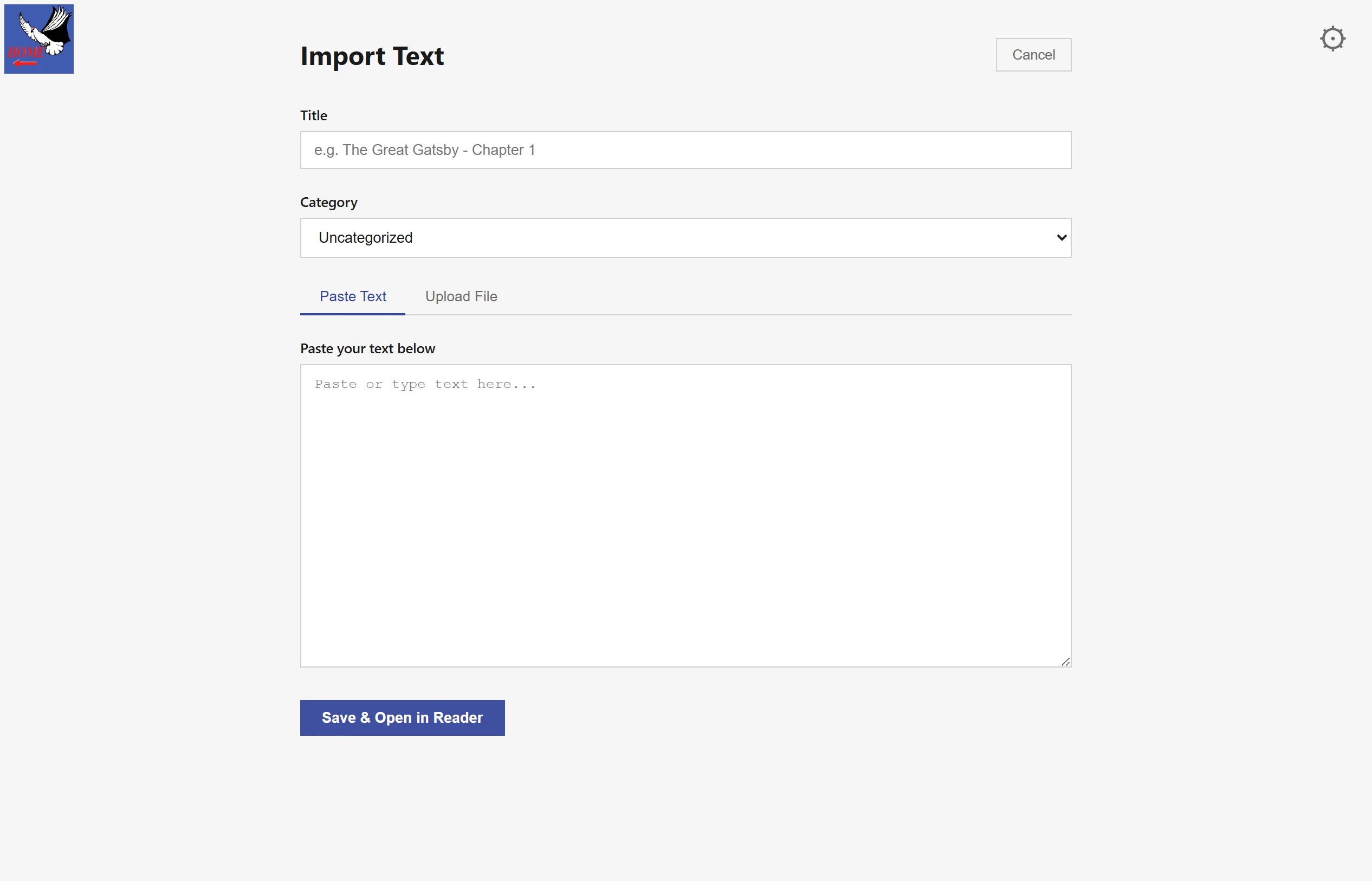
Import cleans up messy text
2026-06-22 EXPERIMENTAL3 additions, 2 removals- Removed: Bullet lines flattened into the surrounding prose
- Added: Bullets, wrapped continuations and list spacing preserved during import
- Removed: Unicode minus signs and repeated hyphens left inconsistent
- Added: Minus signs normalised to hyphens and repeated hyphens to em-dashes
- Added: The same word positions preserved between cleaned and displayed text
-
Settings become calmer and save themselves
2026-06-19 EXPERIMENTAL3 additions, 2 removals- Removed: Simplified and Advanced switches built around named control triplets
- Added: Focused setting cards with an Edit everything path for the full set
- Added: Built-in Calm, Focus, Skim and Fast Profiles alongside your own
- Removed: A Save button after each group of changes
- Added: Changes saved automatically as you make them
-
Cold starts no longer open on a blank window
2026-06-18 EXPERIMENTAL2 additions, 1 removal- Removed: A blank main window while WingletReader finished starting
- Added: A branded animated splash that stays until the Library is ready
- Added: A keyboard shortcut to skip the animation once startup is safe
-
WingletReader gains an installer and in-place updates
2026-06-16 SHIPS3 additions, 1 removal- Removed: Manual archive launches for each new alpha build
- Added: A Windows installer with a normal installation location
- Added: Update checks at startup with installation after you quit
- Added: Updates that keep your Library, settings and reading progress intact
-
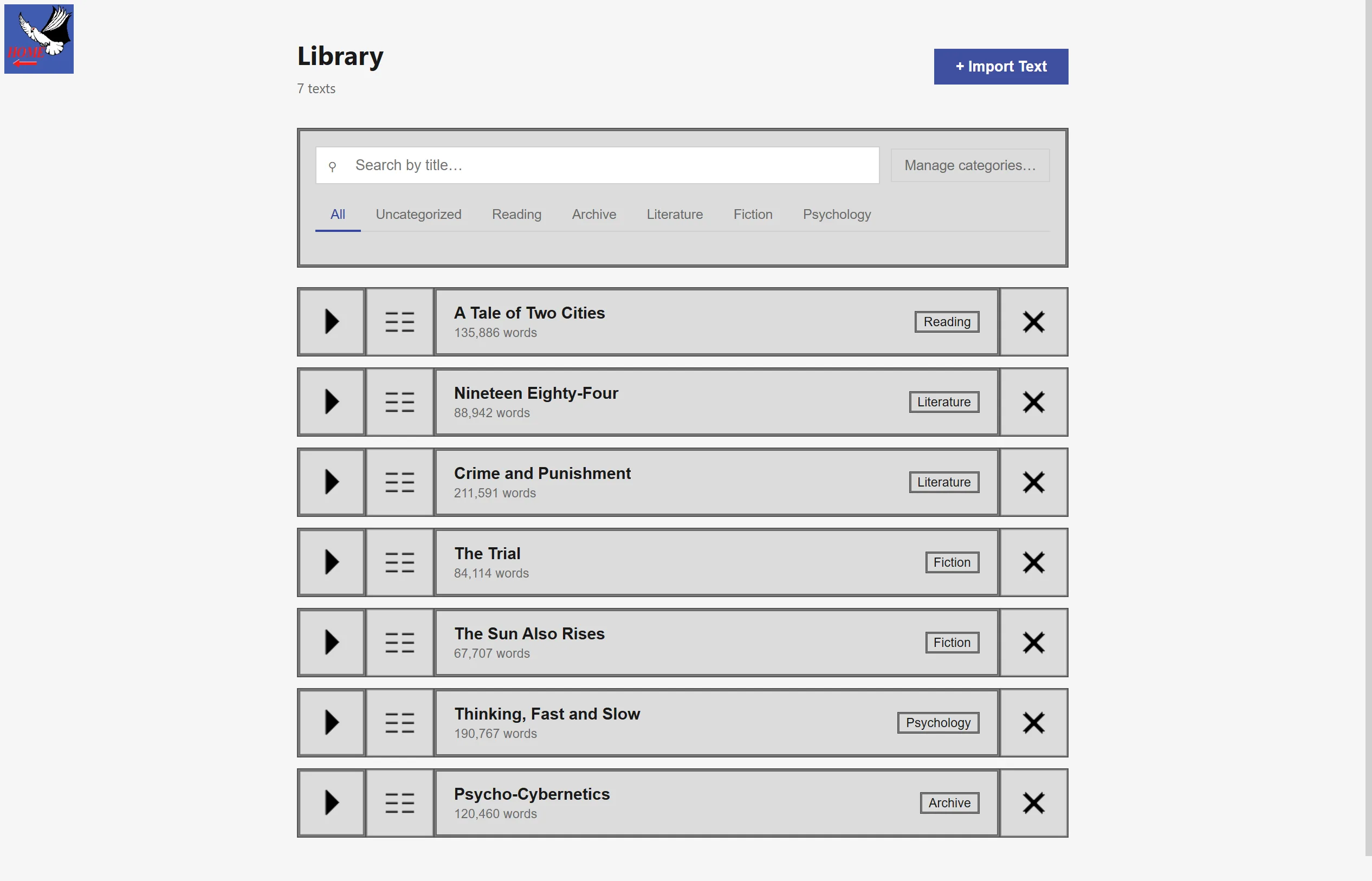
Your Library gains categories
2026-06-15 SHIPS4 additions, 0 removals- Added: Create your own categories for Library texts
- Added: Filter the Library with category chips and see the result count
- Added: Choose a category while importing a text
- Added: Reassign a text from its Library card
- 2026-05-14 · FIRST DRAFT
What's coming
In development.
-
In development
IN DEVELOPMENT5 additions, 3 removals- Removed: The fixed word cap that could leave short, uneven Stacks
- Added: Elastic Stack packing that stays close to your chosen words per Stack
- Added: Sentence-aware packing that keeps sentence endings between Stacks
- Removed: A multi-line Grid that grew and shifted as each line appeared
- Added: A full-height line box with centred and top-anchored layouts
- Removed: Flat Library cards with generic action controls
- Added: Theme-aware framed tiles for opening, viewing and deleting texts
- Added: Overlay Reader, an always-on-top reading surface for selected text